ACL
Click DNS management > ACL
Access Control Lists (ACLs) are address match lists that you can set up and nickname for future used in allow-notify, allow-query, allow-query-on, allow-recursion, allow-recursion-on, black hole, allow-transfer, etc.
Using ACLs allows you have fined control over who can access your name server, without cluttering up your config files with huge lists of IP address.
It is a good idea to use ACLs, and to control access to your server. Limiting access to your server by outside parties can help prevent spoofing and denial of service (DoS) attacks against your server.
To use DNSVault ACL management, please follow the step below :
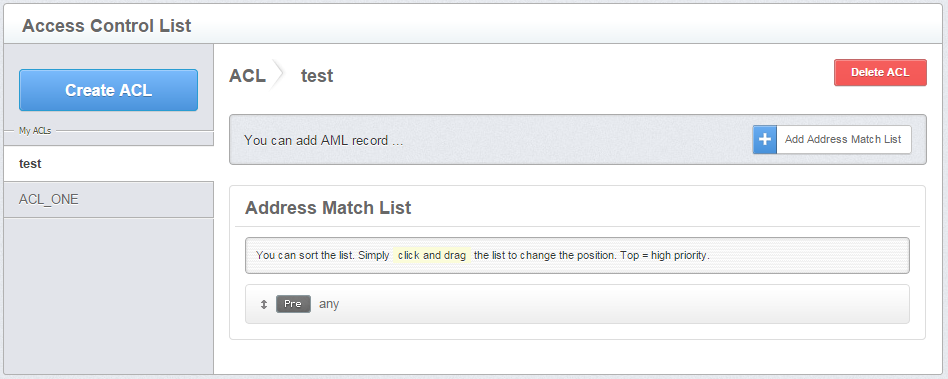
Figure 2.3-a : Main view for ACL management.
Create ACL
- Click DNS management > ACL> Create ACL > ACL Name > Create ACL name
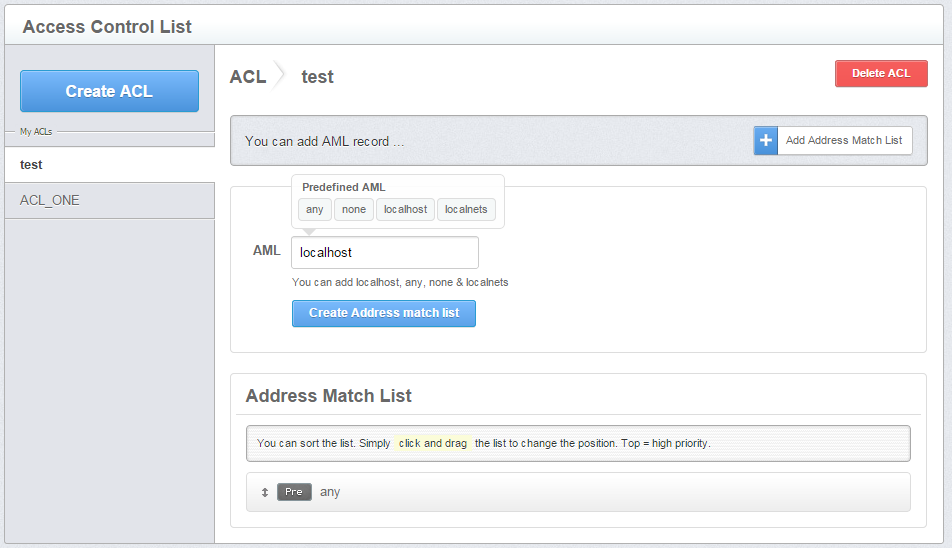
Figure 2.3-b : Add Address-Match-List by insert Predefined AML.
Four Predefined AML is provided;
- any - any server interface
- localhost - the server's host
- localnets - hosts connected to the local LAN
- none - no address
User also can enter IPV4 address with access control (Allow or Deny).
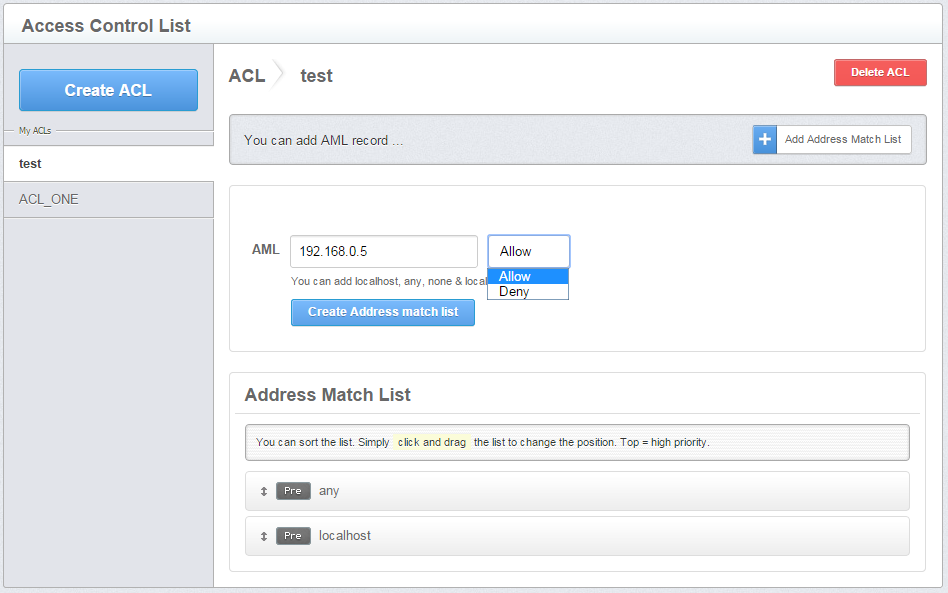
Figure 2.3-c : Add Address-Match-List by insert IP address and control access .
- Insert AML record. User can insert Predefined AML or IP Addresses with access control (Allow or Deny).
- Click Address Match List after finished.