Config
Figure 1.7.2.1-a, figure 1.7.2.1-b and figure 1.7.2.1-c below shows config page where user can edit and reset the certificate(s).
To access Nodes Config, please follow the step bellow:
On the Menu Bar, click Appliance Management. This will display a dropdown menu
Click Nodes
Click on Nodes tabs
Click Config sub tab to view current node configurations

Figure 1.7.2.1-a : Config
To edit current node information, click Edit button to edit.
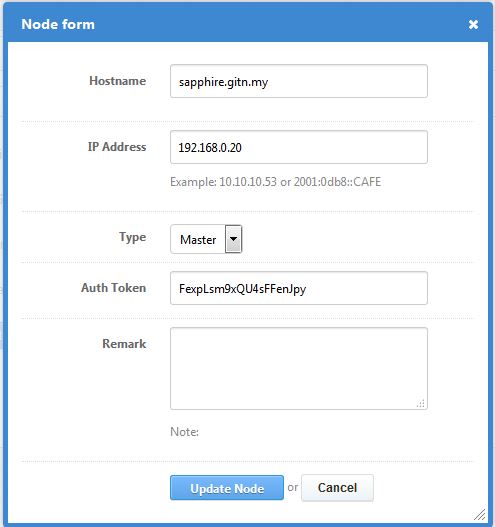
Figure 1.7.2.1-b : Edit config
Click Update Node to save changes and Cancel to cancel changes
To reset current node certificate, click Reset Certificate(s) button.