Statements
Click DNS Management > Domain > Views > Manage Zone > Statements
To start editing choose a view name in the drop down menu at the left side of the page.
To delete a zone, click "Delete This Zone" red button located at the top-right corner of the page.
To display any zone status, select zone from the list.
There are two ways to create the statements, Predefined and Custom.
- Predefined - important selected statement and provide by GUI.
- Custom - Required user to configure statement manually without GUI.

Figure 2.2.1.4.6-a : Zone statement for Predefined.
Click Edit for each statement to configure the statement.
Enter required information for each of them then click Done after finished. The details are as follow :
Allow Transfer - defines a match list e.g. IP address(es) that are allowed to transfer (copy) the zone information from the server (master or slave for the zone)
Allow Query - allow the query.
Allow Update - defines an address_match_list of hosts that are allowed to submit dynamic updates for master zones, and thus this statement enables Dynamic DNS.
Also Notify - relevant only with master zones and defines one or more IP addresses, and optional port numbers, of servers that will be sent a NOTIFY when the master zone file is reloaded.
Notify Source - defines the IPv4 address (and optionally port) to be used for outgoing NOTIFY operations. The value '*' means the IP of this server (default)
For Custom statement follow this following instruction:

Figure 2.2.1.4.6-a : Zone statement for Custom.
- Click Add a statement.
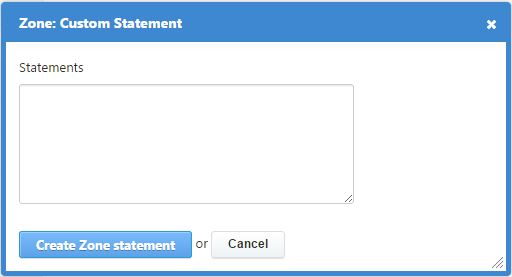
Figure 2.2.1.4.6-a : Zone statement to custom statement.
Enter statements configuration.
After finished, click Create Zone statement or click Cancel to abort.