IP
Viewing Queries for each Zone and Host by IP.
On the Upper Menu Bar, click the DNS Reports icon.
Click the Graph & Statistics from the dropdown button.
Click Select Zone from the dropdown button to choose specific zone.
Click Select Host from the dropdown button beside Select Zone dropdown button to choose specific host.
Click the tab IP on the upper left under Select Zone dropdown button.
Click radio button Day or Range to view by Day or Date Range.
The actions will direct user to the Total Queries view by IP.
Figure 4.2.1-a below shows steps to view Queries for each Zone and Host view by IP.
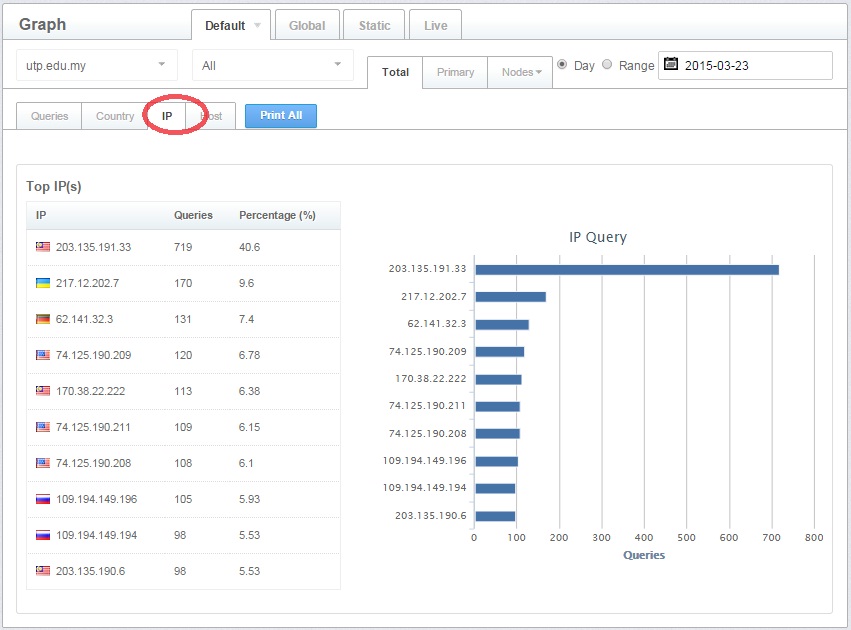
Figure 4.2.1-a: Queries view by IP