Options
Follow these steps to enable Dynamic DNS Updates by the DHCPv4 service running your DNSVault:
On the Upper Menu bar, click the DHCP tab. On the drop down menu, click DHCPv4 category object, then click Enable toggle to enable DHCPv4 module (if Disable). You will then be directed to the default General page.
Click the DNS Update tab, and click Options tab.
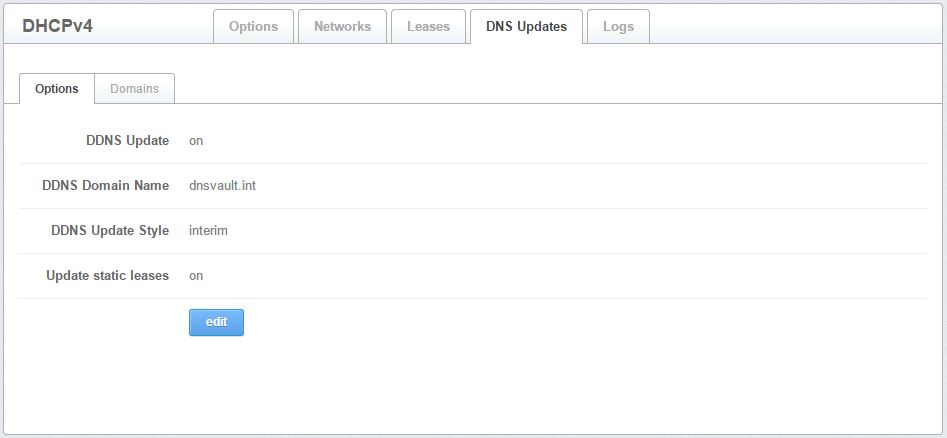
Figure 3.1.4.1-a: Options for DNS Update
- Click Edit button to edit options for DNS update.
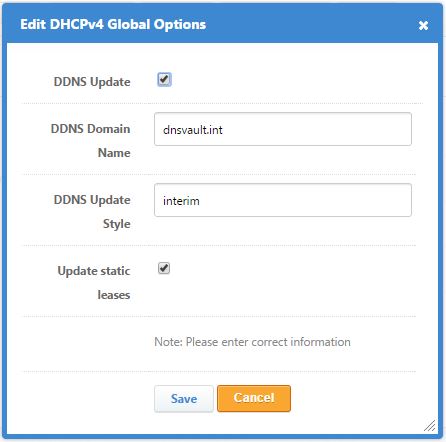
Figure 3.1.4.1-b: The Edit DNS Update Option Page
To enable dynamic DNS updates, click check on the checkbox.
Enter DDNS Domain name in field provided.
Enter DDNS Update Style in field provided.
Click Check on update static leases.
Click the Save button to commit the changes. Otherwise, click Cancel.