Statements
Click DNS management > Domains > Templetes > Statement
On Statements tab, user can edit the options And modified the information.
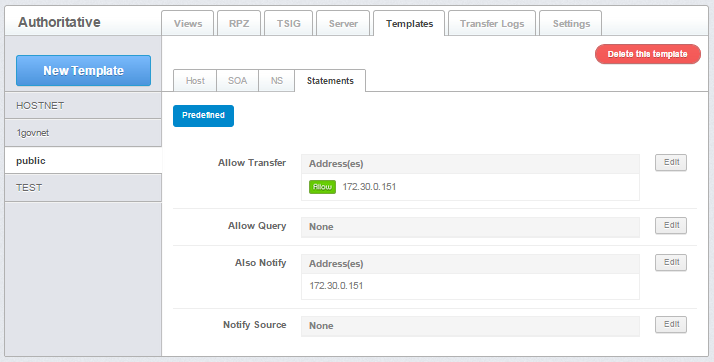 Figure 2.2.5.4-a : Templete statement
Allow Transfer - defines a match list e.g. IP address(es) that are allowed to transfer (copy) the zone information from the server (master or slave for the zone)
Allow Query - allow the query.
Also Notify - relevant only with master zones and defines one or more IP addresses, and optional port numbers, of servers that will be sent a NOTIFY when the master zone file is reloaded.
Notify Source - defines the IPv4 address (and optionally port) to be used for outgoing NOTIFY operations. The value '*' means the IP of this server (default)
Manage Templete Statement
To edit Statement, follow the following instruction :
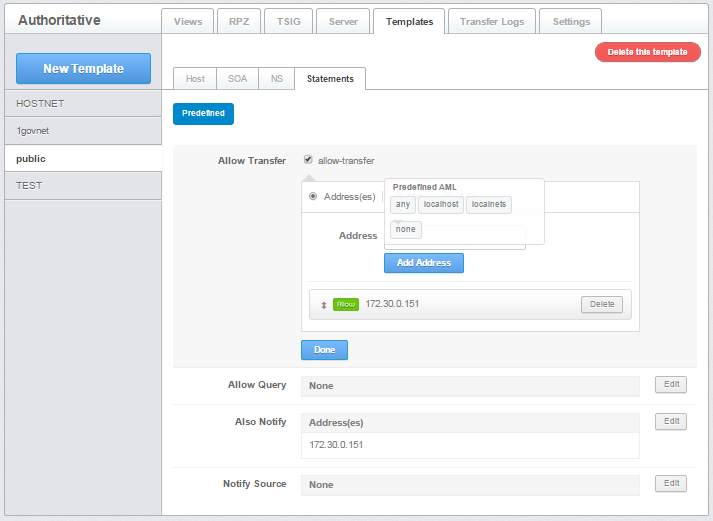
Figure 2.2.5.4-b : Edit Allow Transfer
- Click Edit to edit Allow Transfer.
- Choose between IP Address, Key or ACL.
- If choose IP address, insert IP address or Predefined AML.
- If choose Key, insert the key.
- If choose ACL, please add ACL name.
- Click Done after finish.
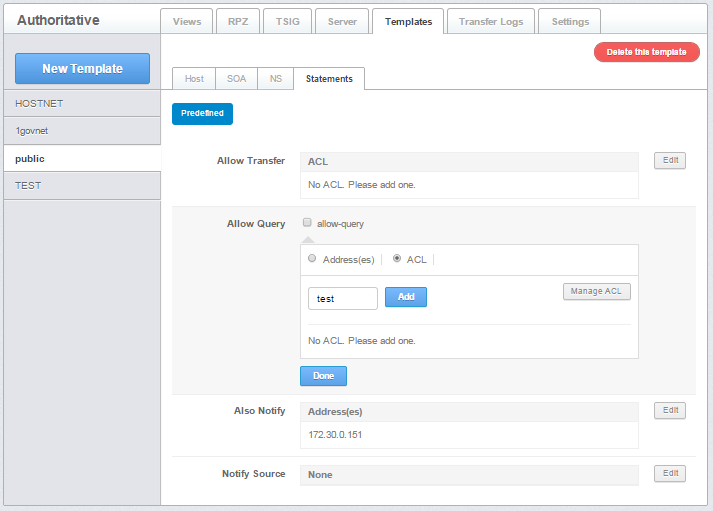
Figure 2.2.5.4-c : Edit Allow Query
- Click Edit to edit Allow Query.
- Choose between IP Address or ACL.
- If choose IP address, insert IP address or Predefined AML.
- If choose ACL, please add ACL name.
Click Done after finish.
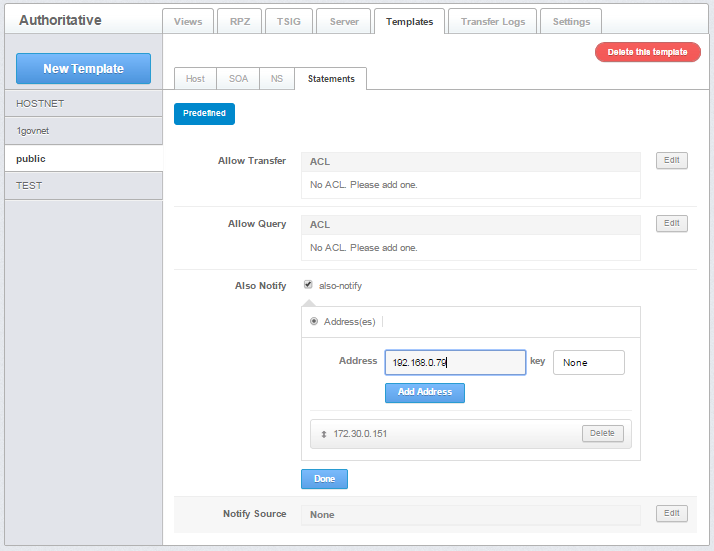
Figure 2.2.5.4-d : Edit Also Notify
- Click Edit to edit Also Notify.
- Insert IP address.
- Click Done after finish.
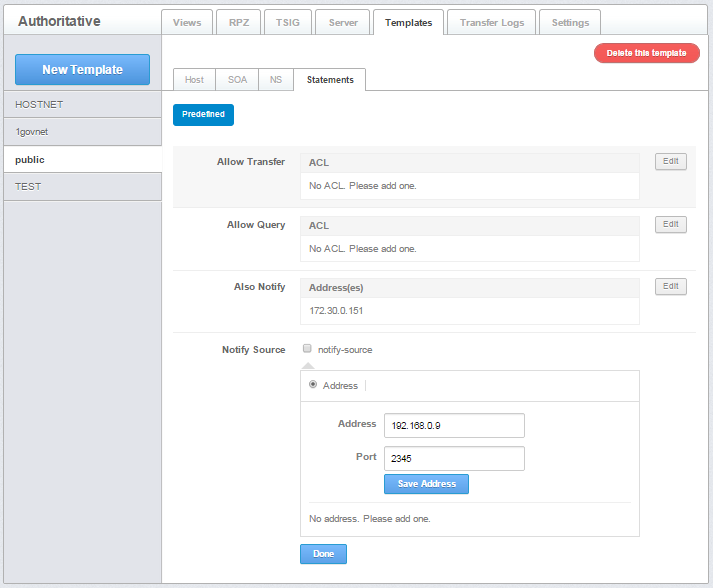
Figure 2.2.5.4-e : Edit Notify Source
- Click Edit to edit Notify Source.
- Insert IP address and port number.
- Click Done after finish.