Statics
Based on figure 1.2.1.2.2-a, figure 1.2.1.2.2-b, and figure 1.2.1.2.2-c on this page there are consists Statics routes.
Note Static route is a form of routing that occurs when a router uses a manually-configured routing entry, rather than information from a dynamic routing protocol to forward traffic.
To setup static Statics route:
On the Menu Bar, click Appliance Management. This will display a dropdown menu
To access Setting page, click Settings
To show Network tab, click Network
To show Routes tab, click Routes
Click on Statics tab to show statics routes configurations.

Figure 1.2.1.2.2-a : Statics routes
- Click IPV4 Routes button to view IPv4 static routes. Click on Add IPv4 Routes to add new IPv4 static route.
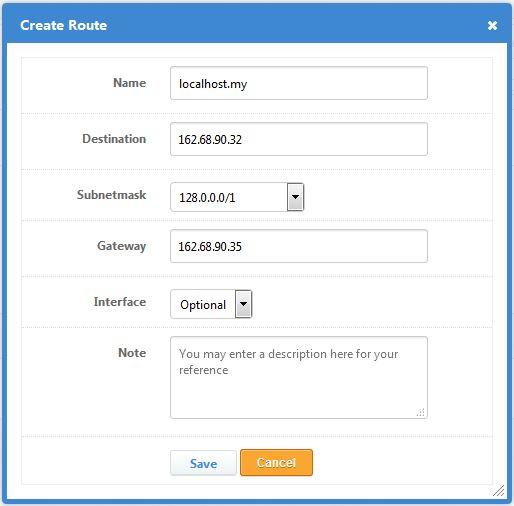
Figure 1.2.1.2.2-b : IPv4 Static Routes
- Click IPV6 Routes button to view IPv6 static routes. Click on Add IPv6 Routes to add new IPv6 static route.

Figure 1.2.1.2.2-c : IPv6 Static Routes
- Click Save button to save changes or click Cancel button to cancel changes